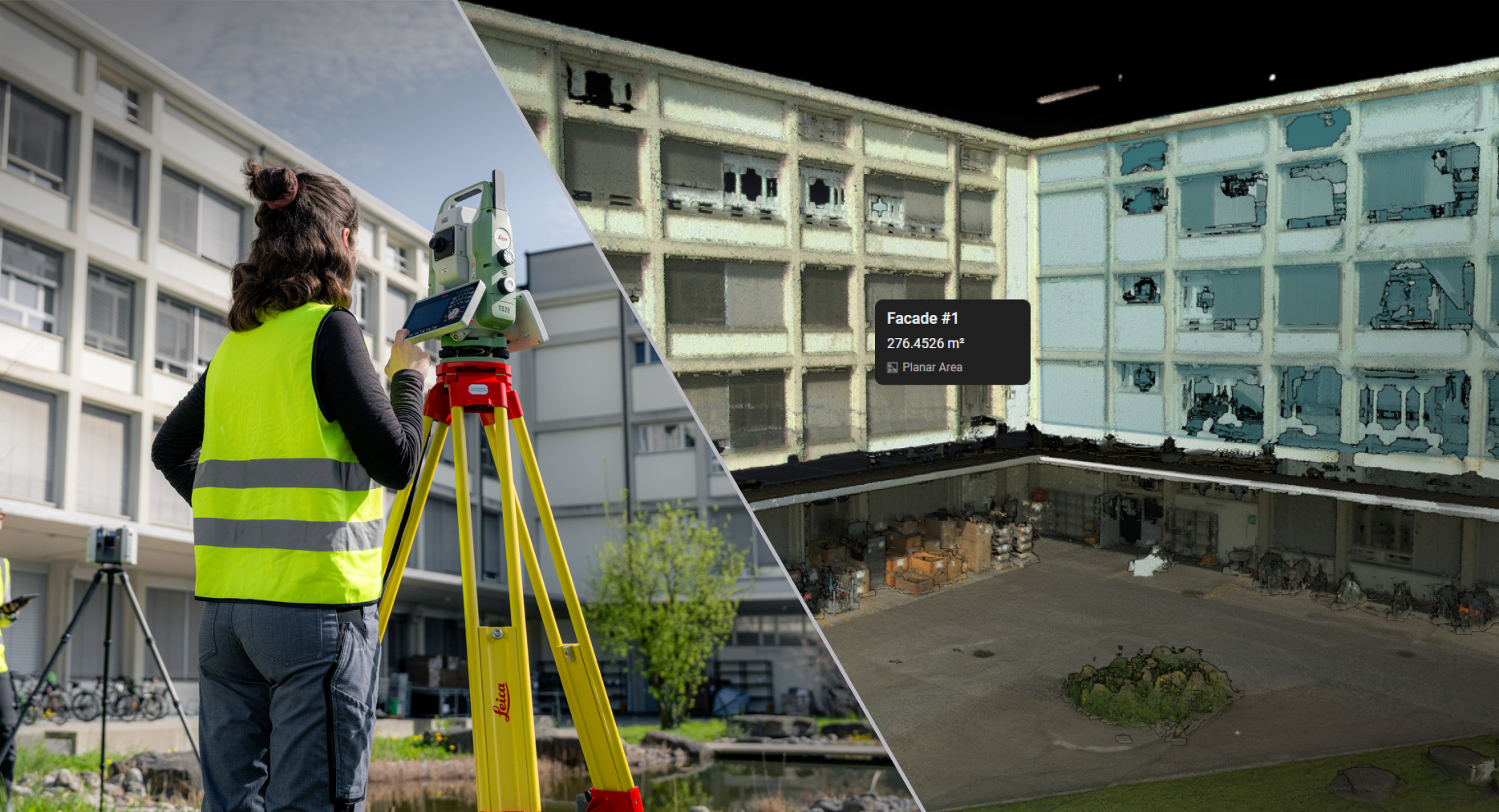
Hexagon is focused on eliminating data silos across workflows by bringing survey data and reality capture data together. To achieve this, Reality Cloud Studio and GeoCloud Drive have been unified into a single cloud experience called Hexagon GeoCloud.
GeoCloud brings survey data, reality capture data, and analysis tools together in one place, enabling teams and stakeholders to collaborate more seamlessly while improving efficiency, visibility, and decision-making across the entire project lifecycle.
Many teams rely on a combination of capabilities across geomatics, reality capture, and construction to deliver projects from start to finish. Workflows have lived across separate platforms, making it difficult to connect data, maintain visibility, and work efficiently across disciplines.
With Hexagon GeoCloud, projects, data, and workflows come together in a single environment. Teams can move seamlessly from capture to analysis, visualisation, and collaboration without switching platforms or managing unnecessary handoffs. This unified approach improves coordination across stakeholders, enables faster insights, supports more accurate and informed decision-making, and provides the foundational work to continue streamlining workflows across survey and reality capture solutions.
By working from a single source of truth, customers can reduce complexity, deliver more consistent results, and keep projects on time, on budget, and aligned from start to finish.
Welcome to Hexagon GeoCloud: one solution for all your geo data.
See the FAQs below for more information.
Hexagon GeoCloud FAQ: What You Need to Know
1. What is Hexagon GeoCloud?
Hexagon GeoCloud is a unified solution that brings Reality Cloud Studio and GeoCloud Drive together into a single solution. It connects your projects, data, and workflows in a seamless, integrated experience built around a single source of truth.
2. Why merge GeoCloud Drive and Reality Cloud Studio?
Our customers work across GeoCloud Drive for survey workflows connected to Leica Geosystems total stations, GNSS receivers and survey software, and Reality Cloud Studio for reality capture workflows connected to scanners, reality capture software, and inspection and construction workflows. By bringing GeoCloud Drive and Reality Cloud Studio together into Hexagon GeoCloud, we’re creating a single, connected solution that reflects how teams work.
3. Do I need to do anything to start using GeoCloud?
No. GeoCloud’s new URL is geocloud.hxdr.app. If you access GeoCloud using previous URLs, such as drive.geocloud.hexagon.com, simply log in as usual and you’ll be redirected straight to the updated GeoCloud interface. We suggest updating any bookmarks to the new link.
4. How do I sign into Hexagon GeoCloud from GeoCloud Drive?
You can continue using your existing GeoCloud Drive credentials. If you visit the former GeoCloud Drive URL drive.geocloud.hexagon.com, you’ll be automatically redirected to the new GeoCloud web experience geocloud.hxdr.app.
5. Will my GeoCloud Drive projects and data still be available?
Yes. All your projects, folders, and data remain exactly where you left them. Everything from GeoCloud Drive is automatically migrated to the unified Hexagon GeoCloud service.
6. Will there be any changes to my Reality Cloud Studio projects?
No. Your Reality Cloud Studio projects and workflows will remain exactly the same. There are no changes to functionality, look and feel, or how you work today. The only update you’ll notice is a branding name change.
You will immediately gain access to additional functionality as part of the broader Hexagon GeoCloud offering. See Question 12 for details on what is included.
7. Are any features or tools changing?
No. All features from both products remain available. There is no loss of tools, access, or functionality. In fact, you gain even more value by having the full set of capabilities from both tools combined into one unified experience.
8. What happens if I have access to more than one account?
If you previously had separate accounts for GeoCloud Drive and Reality Cloud Studio, you will now see two Hexagon GeoCloud accounts at login and be prompted to select one each time you sign in. Your data will remain separate and unchanged. If you would like to merge your accounts into a single view, please submit a ticket and our support team will assist you.
9. Will my permissions and project access change?
No. Your roles, permissions, and project access remain unchanged. You’ll continue to see and work on all projects you previously had permission to access.
10. Can I pick up my work where I left off?
Yes. You can open your projects exactly where you left off and continue working without interruption.
11. What new benefits will GeoCloud Drive users gain from the merged solution?
- Seamless field-to-cloud-to-office workflows
- The NEW Hexagon GeoCloud desktop application will provide seamless, secure data exchange between field software such as Captivate, iCON or X-Pad and the cloud.
- Synchronise survey data automatically between the cloud and your Windows file system using the Hexagon GeoCloud Desktop App.
- All data uploaded via the Web App, field software, or office software is automatically synced to a designated folder on your PC.
- This removes manual file transfers and ensures full data continuity from field to office, without the need for APIs or SDKs.
- Stream point clouds from the cloud directly into the Desktop App with Cyclone 3DR and CloudWorx plugins.
- Flexible collaboration
- Unlimited users and collaboration, and data sharing.
- The new model supports any number of users within your organisation. It’s designed to scale naturally with your usage and collaboration needs, without the constraints of per-user licensing.
- Easy, controlled data sharing
- Sharing data via links/URLs with user-defined URL settings (public/private, expiration date, etc.).
- Advanced tools for visualising, managing and analysing data
- GeoTags
- Tours, Limit Boxes, Measurements, Exports
- AI-powered classification of point clouds
- AI-powered imagery beautification for BLK2GO and BLK ARC data
- Scan-to-Verify: deviation analysis
- Auto-mesh creation from point clouds
- Unlimited users and collaboration, and data sharing.
- Gain the highest level of security protocols across the unified GeoCloud solution with SSO, SOC2 Type II compliance and ISO 27001 certifications.
12. What new benefits do Reality Cloud Studio and GeoCloud Drive users get?
Users benefit from a more connected experience, including:
- In-browser file previews for PDFs, images, and text files (TXT, CSV).
- True project-level data management across survey and reality capture data types.
- Seamless field-to-office data flow via the cloud.
- A modern desktop application that delivers full GeoCloud Drive feature parity for geomatics workflows, including GNSS and TPS file synchronisation, by automatically synchronising all data uploaded via the web app, field or office software with the Windows file system on your PC.
- Point clouds can also be synchronised when explicitly pushed, offering additional flexibility to keep your working memory optimised.
13. What is happening to the legacy GeoCloud Drive desktop app?
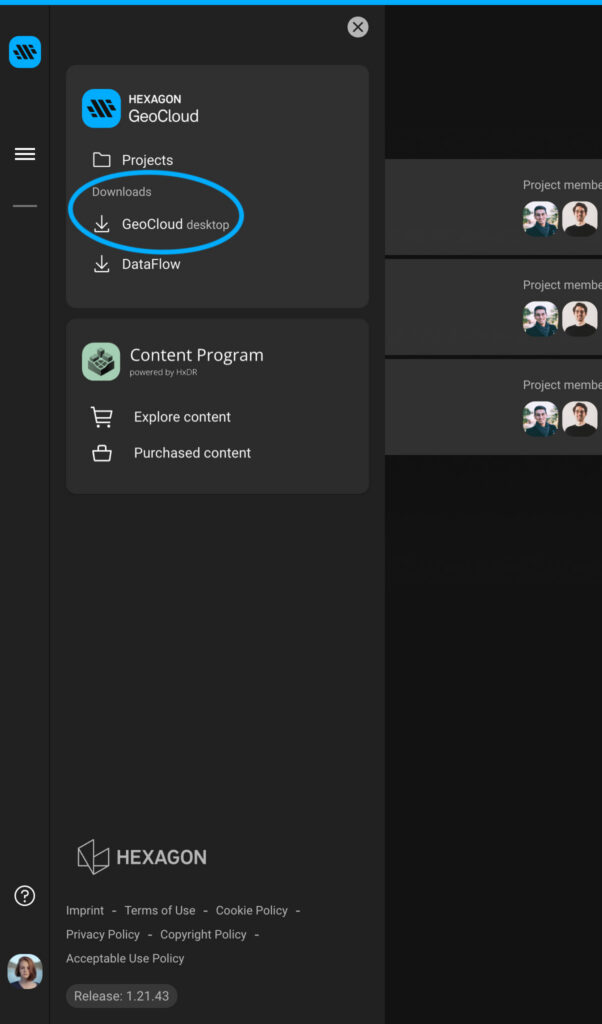
The legacy GeoCloud Drive desktop app will be replaced by a new desktop app, Hexagon GeoCloud Sync.
Existing customers: No action is required. The new desktop app will automatically install shortly after release if you already have the legacy app.
New customers: The new desktop app will be available to download at launch.
Hexagon GeoCloud can be downloaded from here:
This update ensures a smooth transition while maintaining uninterrupted access to your workflows.
14. Will anything change with security?
Reality Cloud Studio users: No change to security. The same high level of protection remains in place.
GeoCloud Drive users: As part of the unified GeoCloud solution, you will gain additional security benefits, as outlined below.
Hexagon GeoCloud maintains:
- Single Sign-On (SSO) for secure and seamless access
- ISO 27001 certification for information security management
- SOC 2 Type II compliance for audited security, availability, and confidentiality control
15. Will our data server locations change?
No. There are no changes to data server locations. You will continue to have the same regional data hosting options available today:
- AU – Australia
- EU – Ireland
- North America – USA and Canada
- ME – United Arab Emirates
16. Who should I contact if I have questions?
If you have any additional questions, please visit our support page to submit a request and get assistance from our team.